



Casting Media Sources To Your XGIMI Projector
By XGIMI Tech - 2026-03
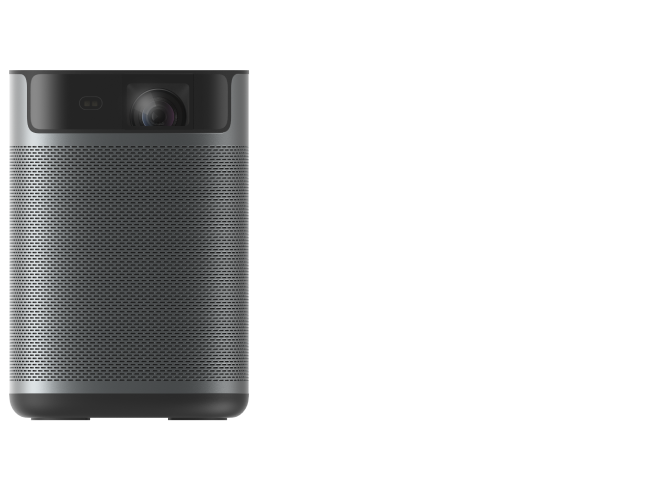
Screen-mirroring or casting your media sources via Google Chromecast Built-in is an absolute breeze. Undoubtedly, this expands your world of entertainment, allowing you to showcase your favorite apps, games, and more in a few simple steps. In this article, you’ll learn how to screen-mirror or cast from your Android/iOS smartphone, tablet, laptop, or PC to your XGIMI smart projector.
Mirroring Your Android And iOS Devices To Your XGIMI Projector
XGIMI smart projectors are installed with the Official Google Android TV system, allowing customers full access to the Google eco-system. Consequently, beneficial features like mirroring your Android and iOS devices directly to the projector screen are available.
Android
Step 1: Download "Google Home" on your Android device and connect it to your projector using the same WiFi connection.
Step 2: On the Google Home app homepage, click the screen-mirroring button. Feel free to check out this video guide for further instructions: (LINK )
IOS
Step 1: Please install "MagiCast" app from Google Play Store or from Desktopmanager app, it's a XGIMI self-developed tool.
Step 2: Start "MagiCast" on XGIMI.
Step 3: Open "Cast Screen" in any iPhone/iPad/Macbook and make sure its under the same wifi signal with the projector.
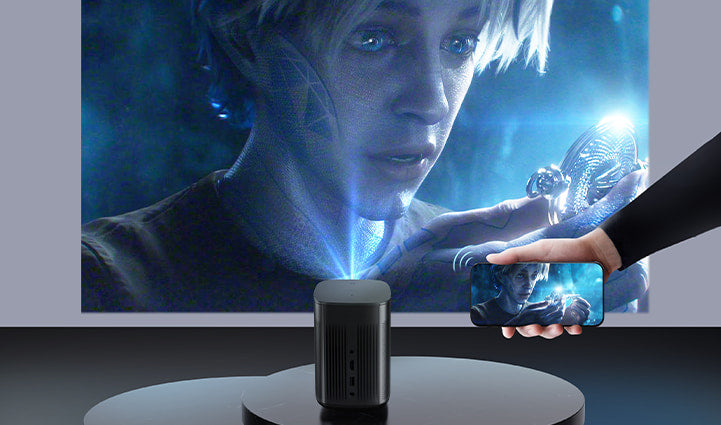
Wired & Wireless Computer Screen Mirroring
Projecting your PC or laptop content to your wireless smart projector is just as simple as doing so with your smartphone or tablet, and better yet, there are two ways of doing so.
Wireless
Step 1: Connect your PC or laptop to your XGIMI projector under the same WiFi connection.
Step 2: Open Chrome Browser on your PC/laptop and click the "Customize & Control" button at the upper right corner of the page.
Step 3: Click "Cast" and then search for your XGIMI projector to mirror your PC/laptop screen.
Wired
XGIMI projectors come with two HDMI ports, simplifying PC/laptop screen mirroring via a wired connection. Simply connect your PC/laptop to your XGIMI projector using an appropriate HDMI chord, and the projector screen will automatically switch to the HDMI page.
Casting Your Devices Via Google Chromecast Built-in
Casting your favorite Android or iOS apps, videos, music, games, and more via Chromecast Built-in is an additional feature that simplifies the mirroring process tremendously.
Step 1: Ensure that your device and the XGIMI projector are connected to the same WiFi network.
Step 2: Launch the Chromecast-enabled app on the device.
Step 3: On the app screen, tap the Chromecast built-in icon.
Projector Recommendations
Just Play, Your Way
Google TV Smart 1080p Projector On-the-Go

Mini Size,
Maximum Entertainment


